Your gcloud identity,
one click away
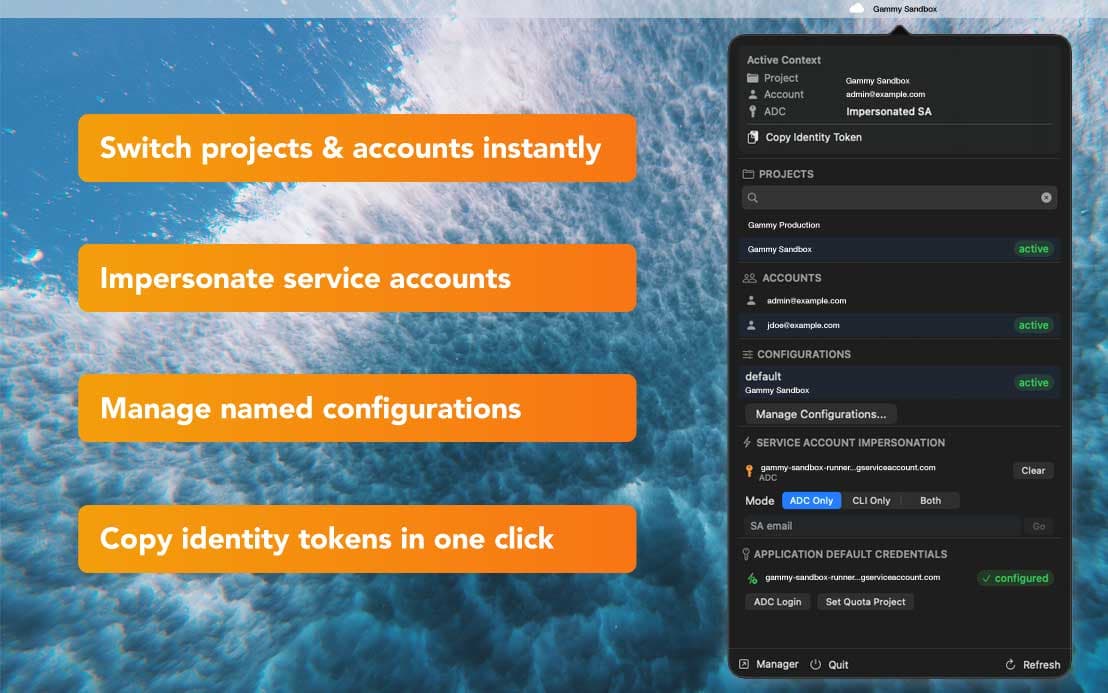
Stop juggling terminal commands. Gammy lives in your menubar and lets you switch GCP projects, accounts, configurations, and service account impersonation instantly.
Requires macOS 14 Sonoma or later
Features
Everything gcloud does.
Without the terminal.
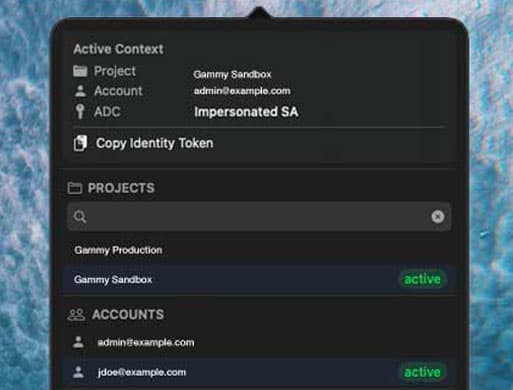
Gammy wraps the most common gcloud auth and config commands into a clean menubar interface. No new concepts to learn — just faster access to what you already use.
Project switching
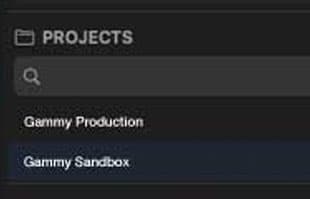
Browse all your GCP projects with search, pin favorites, and switch the active project in one click. Recent projects float to the top.
Account management
See all authenticated gcloud accounts at a glance. Switch the active account and the project list updates automatically.
Named configurations
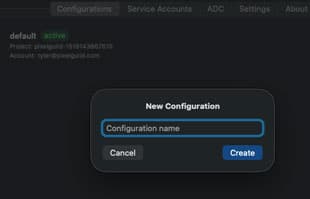
Activate, create, and delete gcloud named configurations. Each config bundles a project, account, region, and impersonation setting.
Service account impersonation
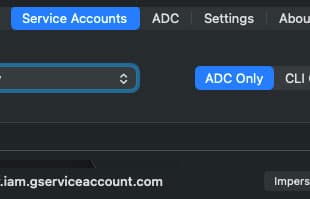
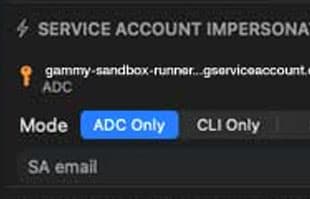
Impersonate service accounts for CLI, ADC, or both with a single action. Clear impersonation just as easily.
Copy identity token
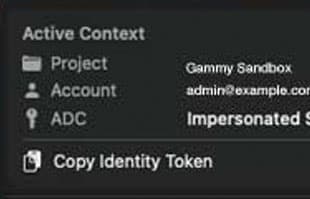
One-click copy of your gcloud identity token for calling private Cloud Run services. Respects active config and impersonation.
ADC management
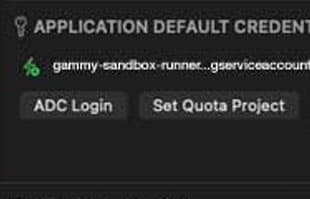
View Application Default Credentials status, trigger ADC login, set quota projects, and revoke credentials — all from the popover.
How It Works
Three clicks. Zero commands.
Gammy reads your gcloud config files and watches for changes with FSEvents. When you switch context in Gammy, it runs the gcloud command for you. When you switch in the terminal, Gammy picks it up instantly.
Click the menubar icon
Gammy lives in your macOS menubar as a small status icon. Click it to open the popover — your active project, account, and config are visible immediately.
Switch context
Select a different project, account, or named configuration. Gammy runs the equivalent gcloud command behind the scenes and updates instantly.
Keep working
Close the popover and your terminal session picks up the new context. No need to source files, restart shells, or remember config names.
Security
Your credentials, untouched
Gammy never stores, copies, or transmits your credentials. It reads gcloud's own config files and delegates all auth operations to the gcloud CLI itself.
Read-only by design
Gammy reads ~/.config/gcloud/ config files directly. It never modifies credential files or token stores.
Hardened runtime
Signed and notarized with Apple's hardened runtime. No App Sandbox required — just enough permission to run gcloud.
No network calls
Gammy itself makes zero network requests. All GCP API calls go through the gcloud CLI on your machine — nothing is proxied.
Performance
Native means instant
Pure Swift + SwiftUI. No Electron, no web views, no background daemons. Gammy uses FSEvents to watch gcloud config files — zero CPU when idle, instant updates when something changes.
< 300ms
App launch
Cold start to menubar ready
0%
Idle CPU
FSEvents — no polling
< 50ms
Config reload
File change to UI update
< 30MB
Memory
Typical resident size
Keyboard First
Global hotkey. Zero friction.
Open Gammy from anywhere with a global keyboard shortcut. Navigate entirely with the keyboard if you prefer.
Why Gammy
One thing, done right
Gammy replaces the gcloud config commands you type every day with a GUI that stays out of your way. Here's the scope.
What Gammy does
- Switch active GCP project instantly
- Switch between authenticated accounts
- Manage named configurations
- Service account impersonation (CLI + ADC)
- One-click identity token copy
- ADC login, revoke, and quota project
- Pin favorite projects for quick access
- Track recently used projects
- FSEvents file watcher — instant UI updates
- Manager window for bulk operations
- Menubar icon reflects auth state
- Auto-update via Sparkle
Intentionally excluded
- IAM policy management or editing
- GCP resource provisioning (Terraform, etc.)
- Billing or cost monitoring
- Credential storage or key management
- Cloud Console replacement
- Team sharing or collaboration features
Gammy is a thin GUI over gcloud's own config system. It doesn't try to replace the Cloud Console or Terraform — it just makes identity switching painless.
Ready to try Gammy?
Download the DMG, drag to Applications, and start switching contexts. Zero configuration — Gammy reads your existing gcloud setup.
Download for macOS